Built by Tillable.
Ask Claude or ChatGPT about the week’s trade. Send customer details to Salesforce. Connectors made by the people behind your till, with more apps on the way.
Explore the appsYour reports.
In the chat you use.
Connect Tillable to Claude or ChatGPT, then ask in your own words. Look at what sold, compare days and follow a question wherever it takes you.
Ask Claude about your trade.
Ask Claude about your sales, customers and trading patterns. It reads your Tillable reports and brings the answer back into your conversation.
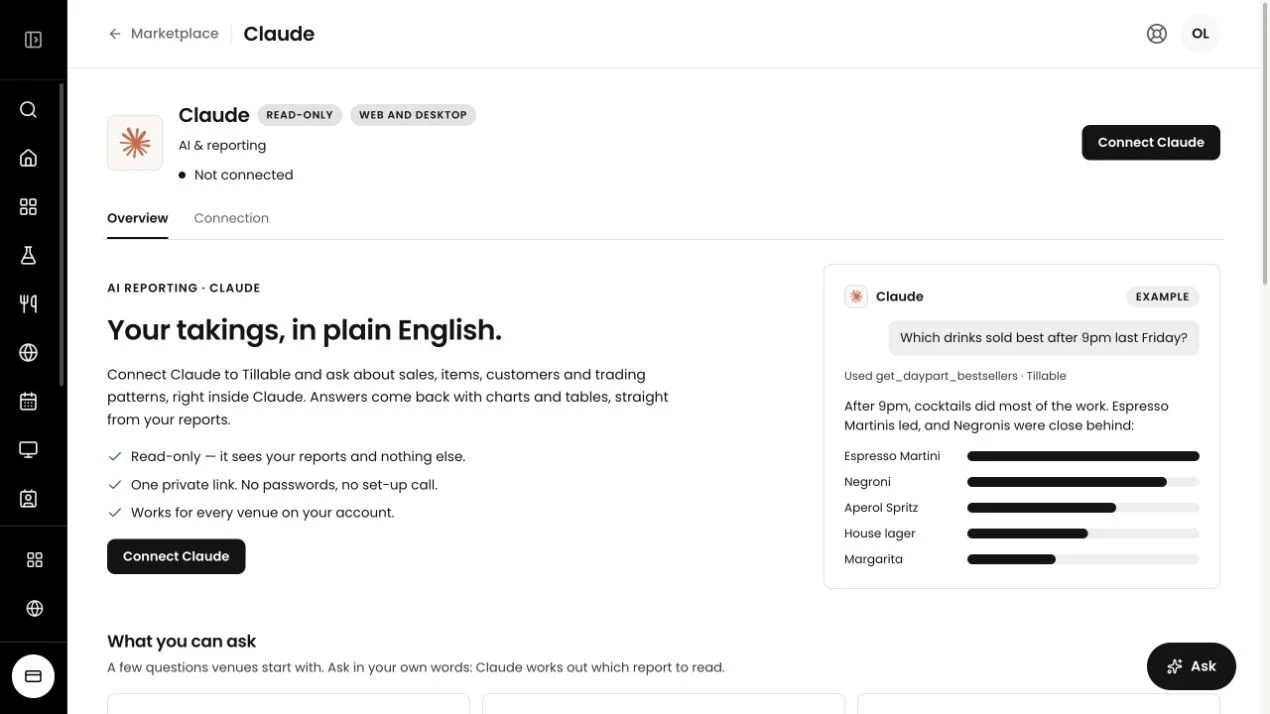
You’ll need access to custom connectors in your chosen AI app. These connectors read reports; they don’t change anything in Tillable.
Start with what
you want to know.
No need to know which report to open. Ask a question, then ask the next one.
- Sales
- “How did this Saturday compare with last Saturday?”
- Products
- “Which items sell best at lunchtime?”
- Busy hours
- “When are we busiest during the week?”
- Buying habits
- “What do customers usually buy together?”
A connection
you control.
You choose whether to connect your reports to an AI app. Here’s how the Claude and ChatGPT connectors work.
Choose your app.
An owner or admin opens the connector in the Tillable marketplace and creates a private link.
Add your connection.
Follow the instructions for your chosen AI app. Keep the link private, as it gives access to your reports.
Ask. Then follow up.
Start a chat about your business. You can revoke the link in Tillable whenever you want to disconnect.
Keep Salesforce
up to date.
Send your Tillable customers to Salesforce Contacts, along with what they spend and how often they visit. Your team can see that history when they follow up.
View Salesforce setup Customers
 Contacts
The customer details.
Names, email addresses and phone numbers, kept against the same Tillable customer ID.
Their history with you.
Lifetime spend, visit count and last visit give your team more to go on than a name.
Keep contacts updated.
Run Sync now when you need to, or let the daily sync pick up customers whose details have changed.
Your Salesforce admin will need to complete the connection setup. Changes in Salesforce aren’t sent back to Tillable.
More from us
is on the way.
We’ll keep adding to this collection. If there’s a job you’d like an app to take on, tell us what you have in mind.
A few practical details.
Talk to usDo Claude and ChatGPT change anything in Tillable?
These connectors read your reports. They cannot change your menu, prices, bills or payments. You can ask questions about the figures without giving the connector permission to edit your business.
Who can set up an AI connector?
An account owner or admin sets up the connection in the Tillable marketplace. You’ll also need access to custom connectors in your chosen AI app. Follow the setup instructions shown for that app.
Can I disconnect an AI connector?
Yes. Revoke its private link in Tillable and that link stops working. Keep the link private: anyone who has it can use it to read the reports it gives access to.
What does the Salesforce connector sync?
It sends customer names, email addresses, phone numbers, lifetime spend, visits and last visit from Tillable to Salesforce Contacts. The sync runs from Tillable to Salesforce, not back the other way. Your Salesforce admin needs to complete the setup first; the guide in CRM Sync covers the fields and connection required.
Can I build an app of my own?
Yes. Build on Tillable is for tools you want to make around your own business. Talk to us about the job you want the app to do and the information it needs.
Claude is a trademark of Anthropic. ChatGPT is a trademark of OpenAI. Salesforce is a trademark of Salesforce, Inc. These connectors are built by Tillable.