Your sales belong in your accounts.
We’re planning direct connections between Tillable and your accounting software, so the day’s trading can reach your books without being entered again.
 Your trading records
softwareThe books you already keep
Bookkeeping happens
between VAT returns.
Every day brings sales to record, payments to check and refunds to account for. Our aim is to connect those trading records to your accounts, with less copying between systems.
These records are available in Tillable Reporting today. The scope of a direct accounting connection is still being planned.
- What you sold
- Gross sales, sales excluding VAT and the VAT recorded. The figures behind the day’s takings, with the period they relate to.Sales and VAT
- How customers paid
- Card, cash and gift card payments appear separately in your cashing-up report. A total on its own doesn’t tell the whole story.Payment methods
- What went back
- Refunds have their own place in the report, so your bookkeeper can see the money returned as well as the money taken.Refunds
- What was left as a tip
- Recorded tips stay separate from sales. Keep that distinction when handing the figures to your bookkeeper.Tips
Keep the accounting
software you know.
The connection should fit the way you keep your books. We’re exploring Xero and want to hear which other packages your business relies on.
Tell us what you useXero
Under consideration
A direct connection is being explored. Connection setup and the records it will transfer are not yet confirmed.Give your bookkeeper
the detail.
You can already share your trading figures from Tillable. Pick a date range, check the payment breakdown and export a spreadsheet or print the report.
Explore Reporting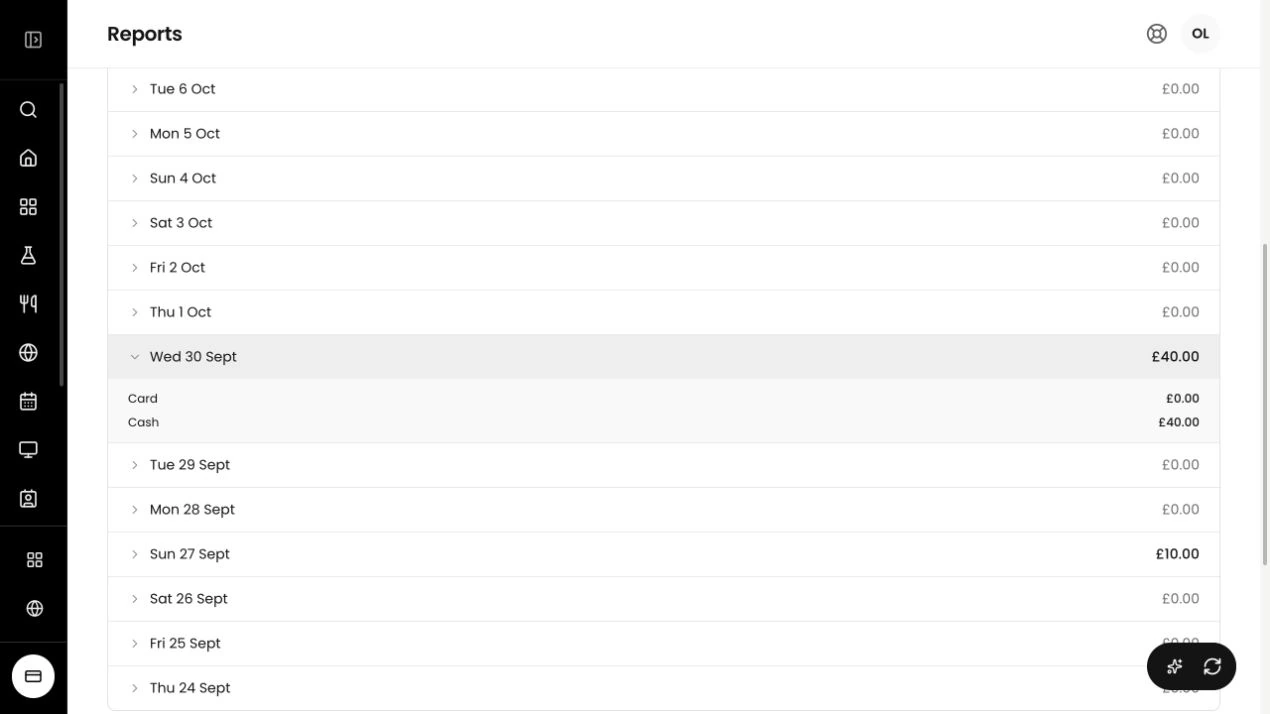
Choose the period.
Use a daily, weekly or custom date range. Filter by location or device when you need a closer look.
Check the breakdown.
Open a day’s total to see how customers paid. Keep refunds and tips with the figures you share.
Send a copy.
Export the rows you’re viewing as a CSV, or print the report for your bookkeeper.
Start with the records in Tillable.
Find the reports, payments and invoices your bookkeeper works from.
Questions and answers.
Which accounting software will Tillable connect to?
Accounting connections are planned. Xero is under consideration, but we have not confirmed a supported-provider list. Tell us which software you use.
Which records can I send to my bookkeeper now?
Export cashing-up figures from Reporting as a CSV, or print the selected period. Direct transfers into accounting software are planned. We have not confirmed which records they will send.
Is this only for VAT?
No. Our plans cover the handover of trading records into your accounts, rather than VAT alone. We have not announced VAT filing through Tillable. Tax returns remain part of your accounting process.
Can I keep working with my bookkeeper?
Yes. Share Tillable reports with your bookkeeper today. The planned connections are for getting records into accounting software, not replacing the person who checks your books.
How much will an accounting connection cost?
We have not published pricing for accounting connections. Tell us what you need to connect, and we can talk through the reporting tools available today.
Tell us how you keep your books.
Bring your bookkeeper into the conversation. Tell us which software you use and which figures you still enter by hand.