Room for the whole order.
A 15.6-inch till for your counter. See your products and basket together, then send the amount to a card terminal when it’s time to pay.
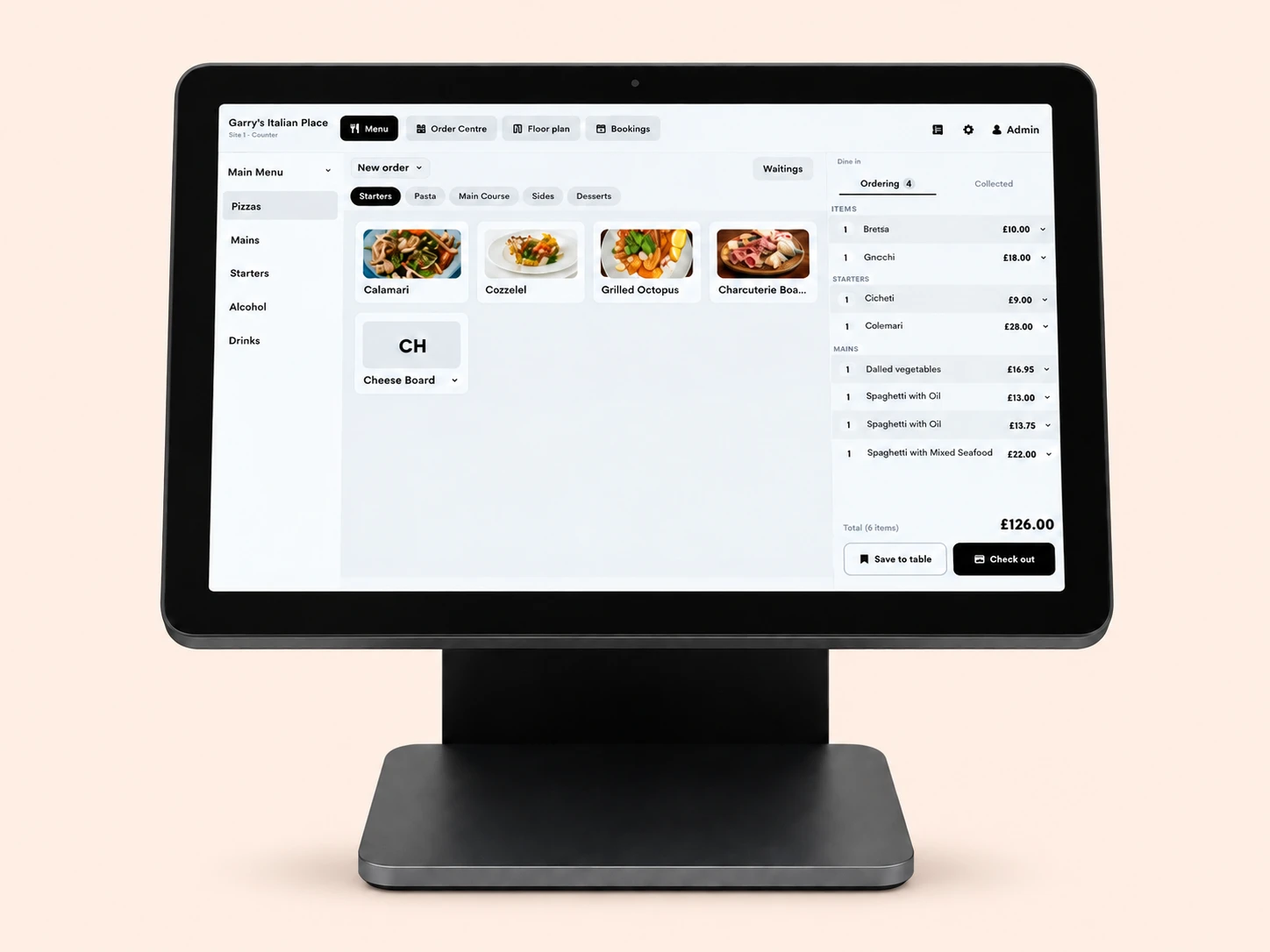
- Full HD display
- 15.6 inches
- Adjustable stand
- 20–90° tilt
- Network connection
- Wi-Fi or Ethernet
- Point of sale
- Powered by Tillable
The next item. The whole basket.
Your categories, products and current order share the screen. Add the next item without losing sight of what’s already there.
Explore Point of Sale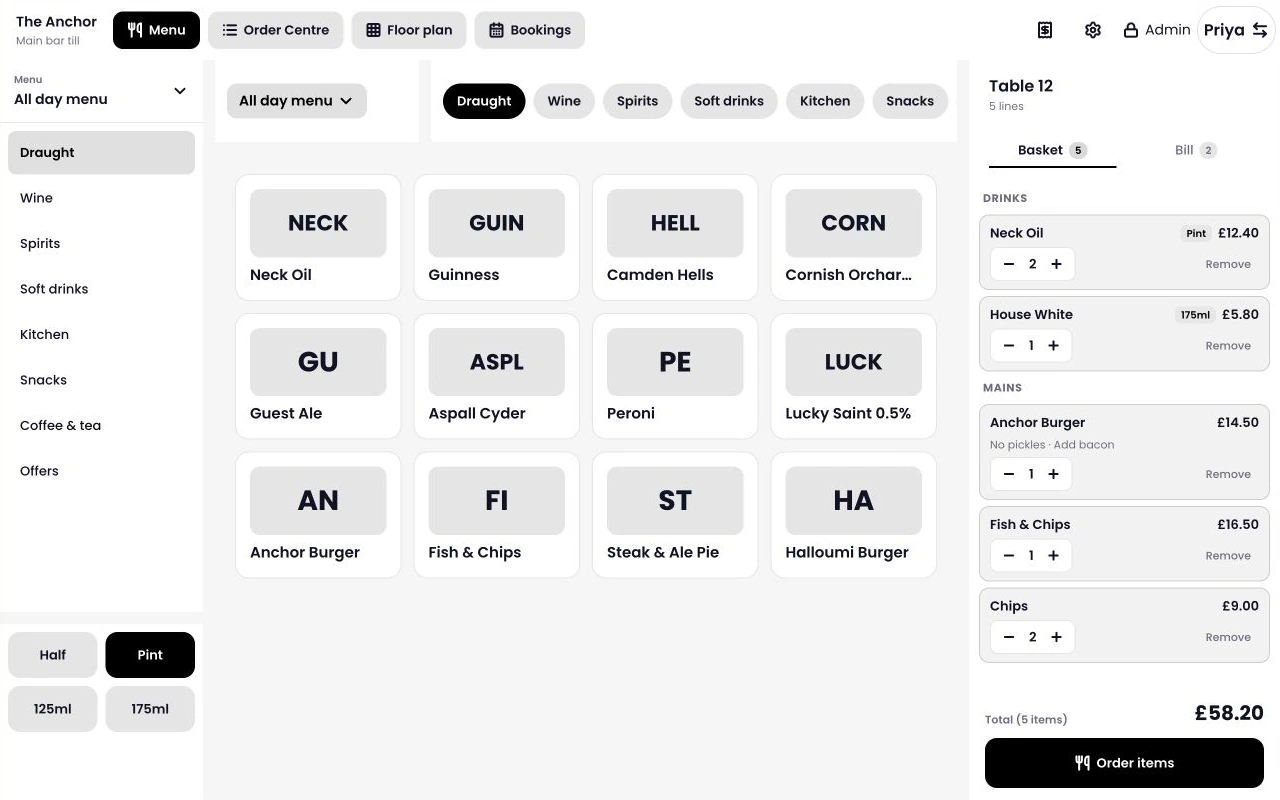
Find the item
Move between categories while the basket stays open beside them.
Check the order
Review quantities and options before moving to payment.
Set up each till
Choose the device mode from your back office to suit the way your team serves.
The small details you use all day.
An adjustable screen, a tidy stand and connections for the equipment around it. Take a closer look at the Register.
Find your angle.
Tilt the screen between 20 and 90 degrees to suit your counter. The cables run inside the stand, leaving more room for the things you’re serving.
Horizon, facing your customer.
Mount Tillable Horizon on the customer-facing side of Register for a display that also takes payments. Your team keeps the order in view on the main screen.
Connect your counter.
Use Ethernet or Wi-Fi for your network, with USB-A and RJ12 connections at the base. We’ll check your printer and cash drawer models before you order.
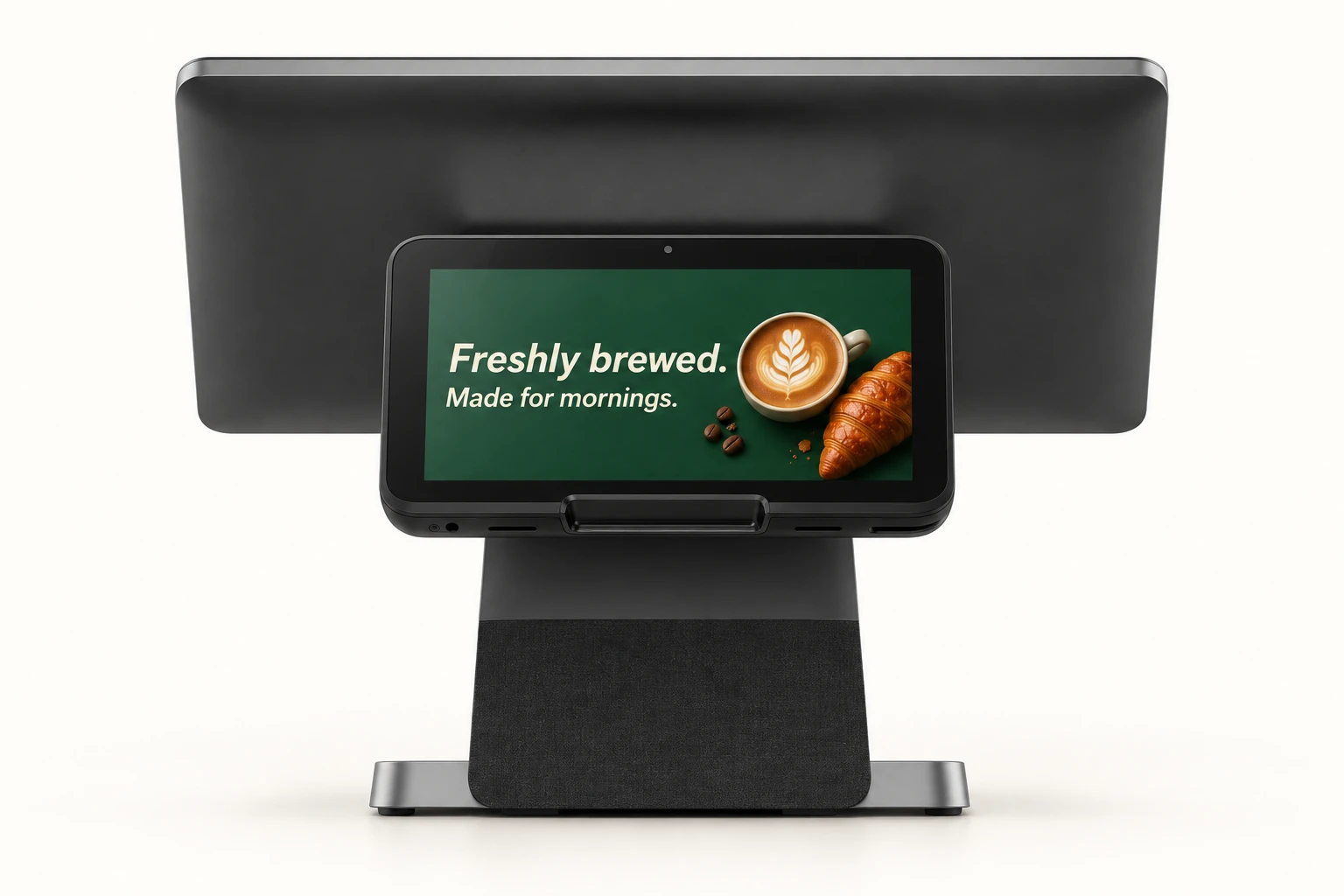
Put Horizon on the customer’s side.
Mount Tillable Horizon on the customer-facing side of Register. Show offers on its display, then send the amount from your till when it’s time to pay.
The total goes straight to the terminal.
Build the order on Register and send the amount to a connected card terminal. Your team doesn’t need to type the total twice.
Explore payment terminalsFinish the order
Check the basket and choose to take a card payment.
Send the amount
Choose the connected terminal at your site. Tillable sends it the total.
Let the customer pay
They pay on the terminal. The payment result stays with the order.
The hardware,
in detail.
Full HD on the counter. Android underneath. Here’s what’s inside Tillable Register.
See Register features- Hardware
- Tillable Register
- Main display
- 15.6-inch FHD IPS · 1920 × 1080
- Screen adjustment
- 20–90° tilt
- Operating system
- Android 15
- Processor
- Eight cores: 2 × Cortex-A75 at 2.0 GHz; 6 × Cortex-A55 at 1.8 GHz
- Memory and storage
- 4 GB LPDDR4X · 32 GB eMMC
- Wireless
- Dual-band Wi-Fi (2.4 / 5 GHz) · Bluetooth 5.1
- Connections
- 3 × USB-A, Ethernet (RJ45), RJ12, 3.5 mm audio and DC power
- Power supply
- 24 V / 1.5 A
- Customer-facing display
- Tillable Horizon, mounted on the customer-facing side of Register.
We’ll confirm your Register configuration, Horizon and mounting hardware when quoting.
Choose the rest of your counter.
Start with your Register, then add the payment and receipt equipment you need. We’ll help check what can stay from your current setup.
Questions and answers.
What software does Tillable Register run?
It runs Tillable Point of Sale. The full-size layout shows categories, products and the running order together. You manage the device mode from your Tillable back office.
Can customers tap a card on the Register?
Register sends the amount to a connected payment device, such as Tillable Horizon mounted on the customer-facing side. The customer pays on that device; the main Register screen is for your team.
Can I add Horizon as a customer display?
Yes. Tillable Horizon can be mounted on the customer-facing side of Register, giving customers a display and a place to pay. Ask us to include Horizon and the mounting hardware in your setup quote.
Can I use my existing printer or cash drawer?
Send us the make, model and connection details. We’ll check compatibility with your proposed setup before you replace equipment.
Can I connect it to my network with a cable?
Yes. Tillable Register has an Ethernet connection, as well as dual-band Wi-Fi. Plan a network connection and power socket where your Register will sit.
What does the price include?
Ask for a quote covering your Register configuration, Tillable software, payment terminal and any accessories. We’ll confirm the items included and payment processing rates for your business.

Let’s get your counter ready.
Tell us what you sell, how many tills you need and what equipment you already have.