The screen
Room for your products and the running order.
- 15.6-inch Full HD IPS display
- 20–90° screen adjustment
- Tillable’s full-size order layout
A full-size Tillable order screen, dedicated counter hardware and connections for the equipment around it.
3 feature groups
Room for your products and the running order.
A dedicated till with connections at its base.
Choose the equipment for your counter.
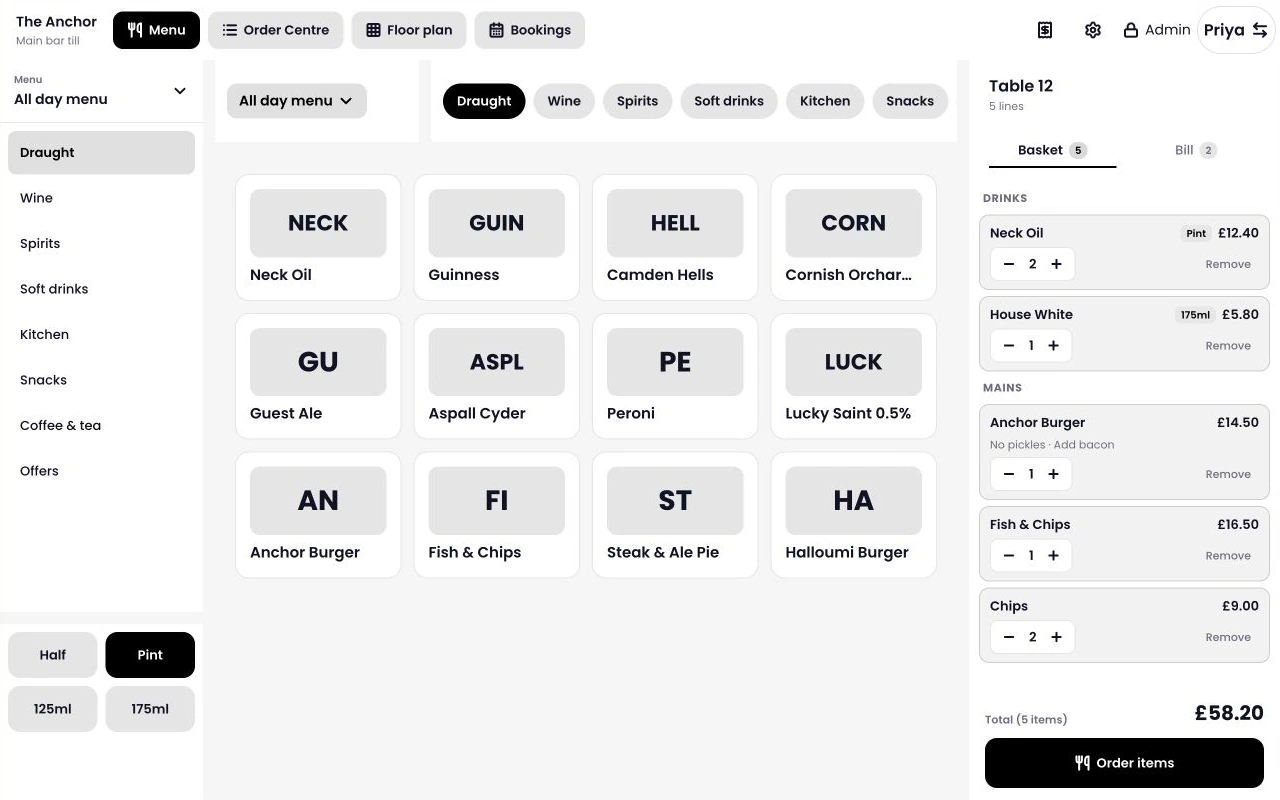
The full-size Tillable layout puts categories, products and the basket alongside one another. Staff can check what is already there while adding the next item.
Tillable Register has three USB-A ports, Ethernet and an RJ12 connection. Confirm that your printer and cash drawer work with the Tillable setup you choose.
Cables run inside the stand, with the connections grouped at the base.
Mount Tillable Horizon as your customer-facing display and payment device. Include the mounting hardware in your quote.
Start with your Register, then add the payment and receipt equipment you need. We’ll help check what can stay from your current setup.
It runs Tillable Point of Sale. The full-size layout shows categories, products and the running order together. You manage the device mode from your Tillable back office.
Register sends the amount to a connected payment device, such as Tillable Horizon mounted on the customer-facing side. The customer pays on that device; the main Register screen is for your team.
Yes. Tillable Horizon can be mounted on the customer-facing side of Register, giving customers a display and a place to pay. Ask us to include Horizon and the mounting hardware in your setup quote.
Send us the make, model and connection details. We’ll check compatibility with your proposed setup before you replace equipment.
Yes. Tillable Register has an Ethernet connection, as well as dual-band Wi-Fi. Plan a network connection and power socket where your Register will sit.
Ask for a quote covering your Register configuration, Tillable software, payment terminal and any accessories. We’ll confirm the items included and payment processing rates for your business.

Tell us what you sell, how many tills you need and what equipment you already have.