Customer profiles
The details and history behind each person’s visits.
- Contact details and notes
- Recent orders and most-bought items
- Spend, visits and last seen
- Recorded marketing consent
Customer CRM is live with selected businesses. Explore customer records, order history, notes and the tools for organising your list.
4 feature groups
The details and history behind each person’s visits.
Work with one person or a group from your customer list.
Record the information your team needs for the next visit.
See the activity linked to a customer across Tillable.
A customer’s profile gives you the details behind their visits. Read the order history and the notes your team has left.
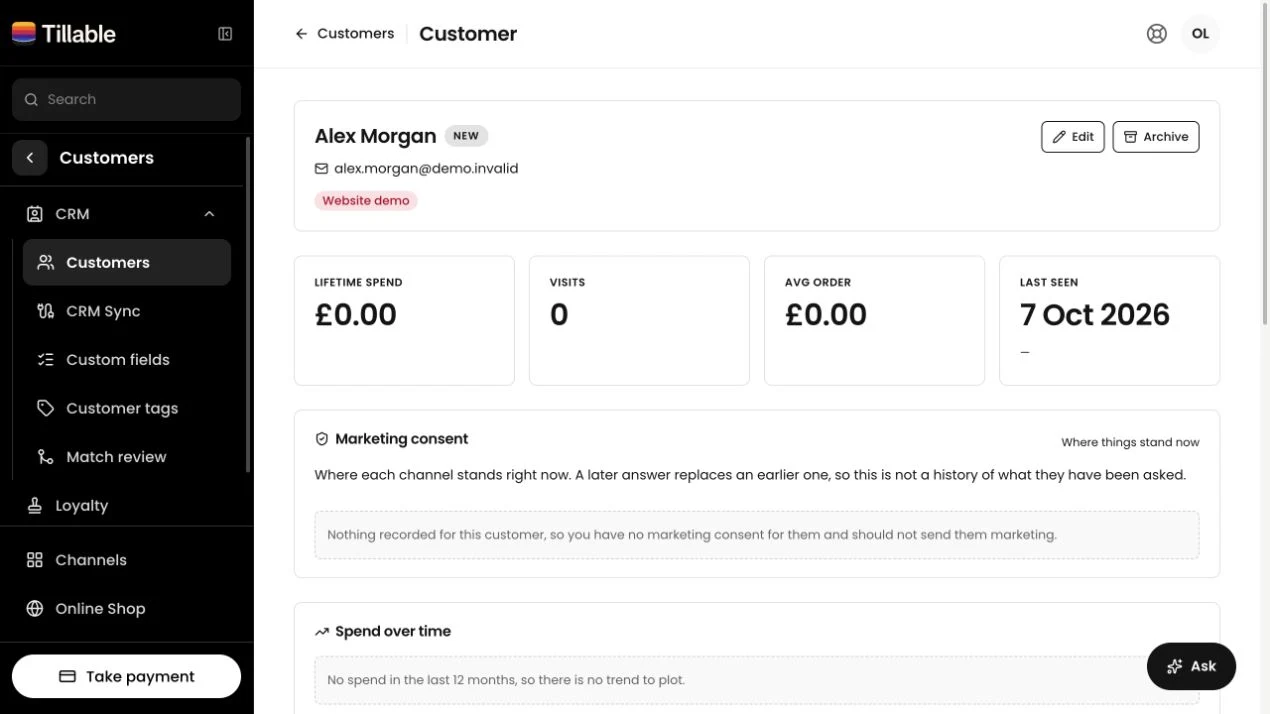
See total spend, order count, average order value and the Last seen date. A monthly chart shows spending over the past year.
See their most-bought items and recent orders. The record shows what they bought, while your notes hold what they told you.
Read the latest consent recorded for each channel. A pending confirmation is shown separately from a confirmed opt-in.
Correct contact details, organise people with tags and move old records out of your active list without losing them.
Select customers across searches or pages, then add a tag to the group.
Archive a customer to remove them from the active list. Find them in the archived view if you need to restore them.
Create your own fields, then fill them in on each customer’s record. Empty fields stay out of the profile view.
Take the next booking, offer a reward or sell a gift card. Each has its own place in Tillable.
Customer CRM is live with selected businesses. Contact us about access for your account. The full CRM is not enabled on every account by default.
Bookings, QR orders and click and collect create customer records. You can also add someone by hand or import a CSV when CRM is enabled.
Yes. Import a CSV containing names, email addresses and phone numbers. Map your columns and check the preview first. Notes, tags, custom fields and purchase history are not included in the CSV import.
They match the email on the customer’s record. Add an email to the profile to see bookings and gift cards recorded under that address.
Loyalty is a separate product. With both enabled, a customer’s profile shows their loyalty membership and points alongside their CRM details.
The customer profile shows recorded marketing consent. It is not a campaign sender. Talk to us about connecting your marketing tools before planning email or SMS campaigns.

Show us how you keep customer details today. We’ll talk through CRM access and the records you want to bring across.