Selling and giving
Sell a voucher at the till and send it by email.
- Enter the gift value
- Email delivery
- QR code and typed code
- Customer status link
Live with selected venues now, rolling out wider. See how to issue a voucher, send it by email and accept it at the till.
3 feature groups
Sell a voucher at the till and send it by email.
Use the voucher once towards an in-store purchase.
Find the records you need when a customer asks for help.
The email carries the value, expiry and code. The recipient has the details they need to present the gift card at your counter.
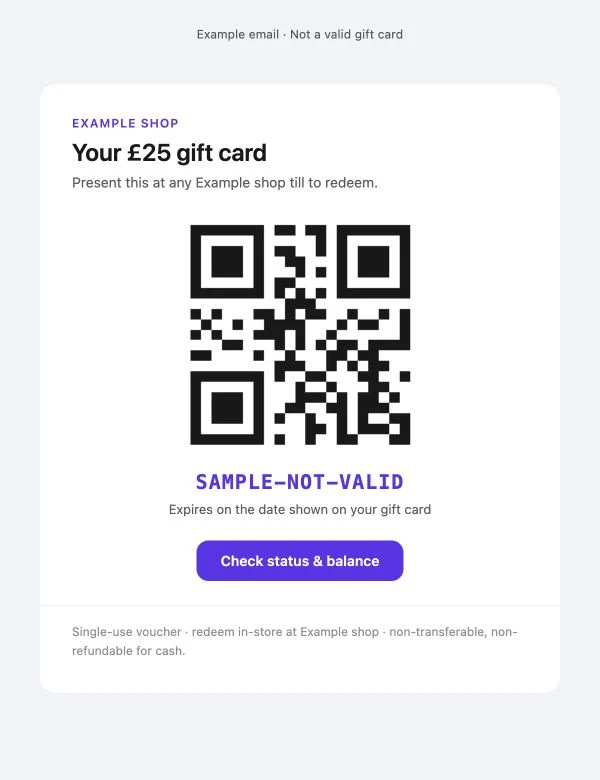
Your team scans the QR at the till. They can enter the code manually if needed.
The recipient follows the email link to check the card before coming in.
Look up its value, status and expiry in the portal. Open its history to see the activity recorded against it.
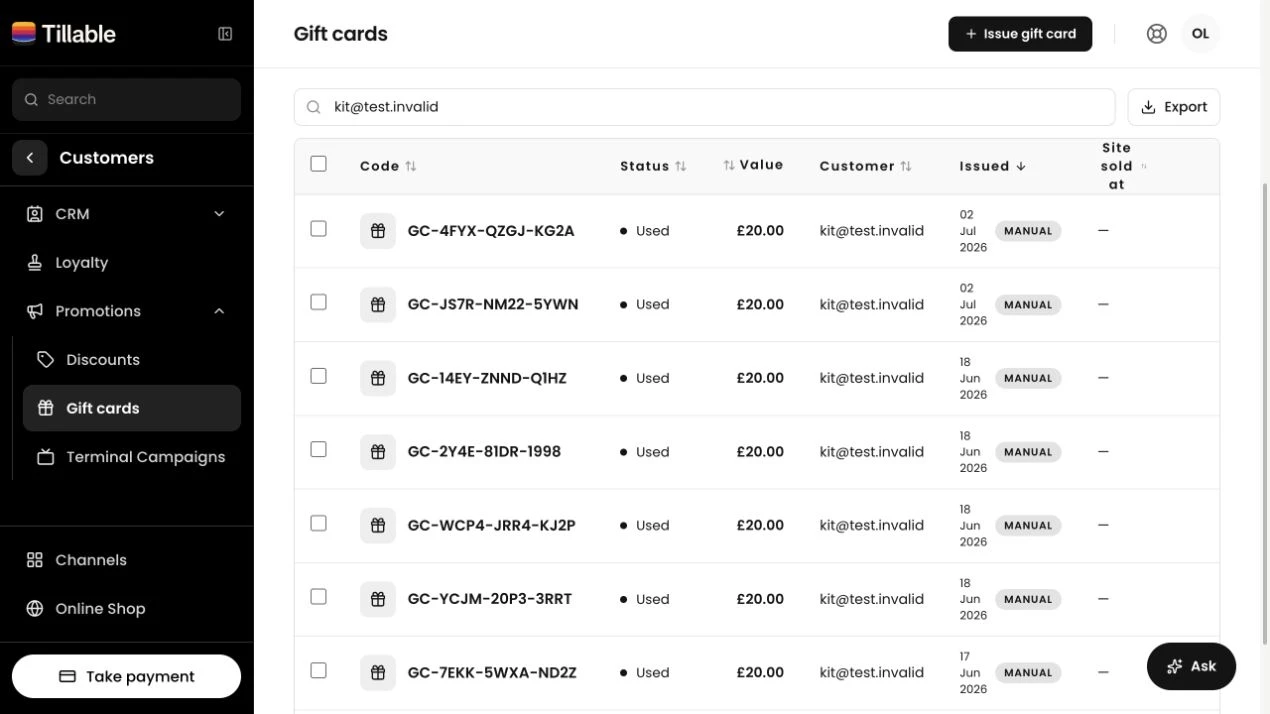
Resend the gift-card email to its saved address without creating another card.
Export the list as a CSV. Accounts with several sites can filter by where the card was sold.
Take their order, accept their gift card and serve them through Tillable.
Your team sells the card at the Tillable till. Enter its value and add an email address for delivery. Online gift-card purchasing is not currently supported.
No. The current gift card is a digital voucher with a QR code and a typed code. The recipient can show the email on their phone.
No. Each voucher is single-use. Any value left after a smaller purchase is not retained, and vouchers cannot be topped up. Explain this when selling the card.
Yes. Apply the voucher to the sale, then take the amount still due by card or cash.
Find their card in the portal using the code or customer email. You can resend the gift-card email to the address saved on the card.
Gift Cards is live with selected venues. Talk to us about using it at your shop, café or restaurant.

We’ll show you how to sell and accept a gift card on your till. Talk to us about access for your business.