Orders and payments
Run Tillable on your own device and take contactless payments on a supported phone.
- Your Tillable products and prices
- Order building on your phone
- Tap to Pay on selected iPhone and Android devices
- Payment result on screen
Take orders, accept payments and manage your business from your own device.
2 feature groups
Run Tillable on your own device and take contactless payments on a supported phone.
Use the full system on your device, including the jobs between sales.
Your own device runs the full Tillable system. On supported phones, Tap to Pay takes the contactless payment without another reader.
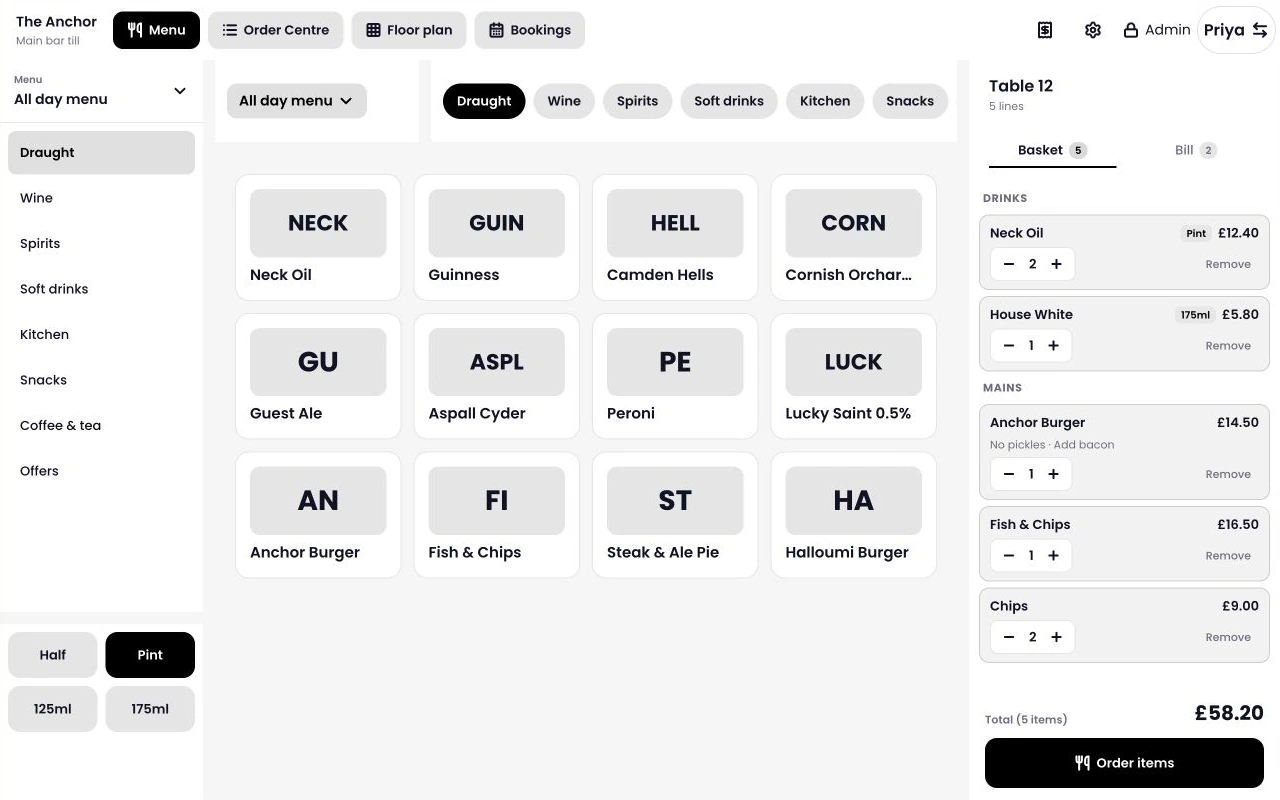
Choose products from your catalogue and check the basket before taking payment.
The customer taps their contactless card or phone against yours. Wait for the payment result on screen.
Tap to Pay is supported on selected iPhone and Android devices. Check the exact model and software version with us.
Tell us the model and operating-system version from your phone’s settings.
Check before you buy phones for work, or compare a dedicated Tillable handheld for staff to use throughout a shift.
See the full point of sale, compare dedicated devices or look at your other ways to take payment.
No. You can run the full Tillable system on your own device. Tap to Pay lets a supported phone accept contactless payments as part of that setup.
Yes, on selected devices. Send us your phone model and operating-system version so we can check compatibility before you start.
Not for Tap to Pay on a supported phone. Your customer presents their contactless card or phone to yours.
Yes. Use your own device alongside Tillable counter and handheld devices, with your products and sales managed in the same system.
Ask us for the payment rate and software costs for your setup. We’ll also check your phone, so you know whether you need another device.

Tell us what device you use and where you take payments. We’ll help you work out the setup for your business.